Your whole fleet. One platform.
Boats, crews, workshop and owners: everything around your fleet is centralised in one place, and every module fits with the others. Here's the detail.
A digital maintenance logbook for every boat in your fleet.
- ▸Photos, documents, invoices, engines, engine hours — all in one place.
- ▸Bulk import of a boat's complete history: photos sorted by zone, invoices read by OCR, certificates archived.
- ▸Each unit's status for the day (available, under way, on cruise, reserved, under maintenance, on land…), based on your entries and the calendar.
- ▸Maintenance alerts: custom hour thresholds per engine.
- ▸Complete history of work orders, with installed parts highlighted.

One calendar for the whole fleet, with every overlap flagged.
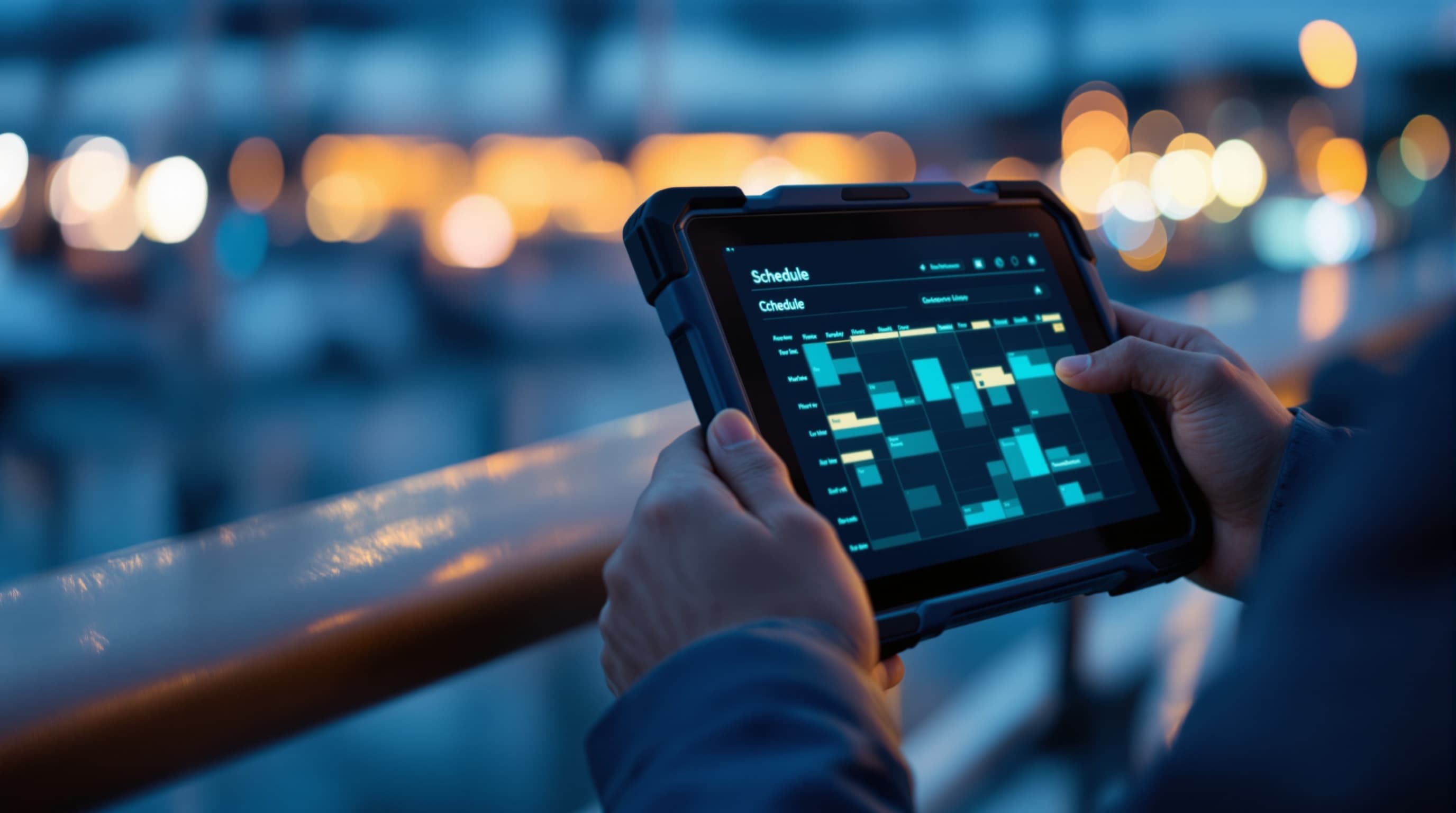
- ▸A calendar for each unit and a view of the whole fleet: bookings, cruises, work orders, time ashore or in the yard and unavailable periods, by the day or by time slot.
- ▸Requests and an approval queue: team members request a unit from their own account, and the manager approves or declines it, with a reason if needed ("Organisation by service" option).
- ▸Overlaps are flagged before you confirm. If you confirm anyway, the people who booked the clashing slots are notified and the conflict stays listed until someone settles it.
- ▸Your bookings can also appear in a Microsoft 365 calendar or another tool, which reads them through the read-only API (Company plan). Otherwise, everything is in the app's own calendar.
- ▸Availability search, a printable schedule and a bookings report you can export to Excel.

No more insurance or certificates expiring without warning.
- ▸Insurance, certificates, contracts, manuals, plans: each document is filed on its unit's record with its expiry date and its visibility (company, admin, owner, crew, visitor).
- ▸An alert goes out before the expiry date, then on expiry, to the unit's team and owner, depending on who is allowed to see that document.
- ▸The Deadlines screen brings together documents, safety equipment and engine service thresholds for the whole fleet, sorted by urgency and ready to print.
- ▸The AI can read a document and suggest its type, expiry date and a summary: nothing is saved until you have checked and confirmed it.

A register of each boat's safety equipment, with its due dates.
- ▸One line per item (fire extinguisher, liferaft, hydrostatic release unit, EPIRB, handheld flares, first aid kit…) with its location on board, serial number and due date.
- ▸Item checked? "Mark checked today" records the check and the new due date, and tracking starts again.
- ▸An alert before the due date, then on the day, for the unit's team and owner; the warning period can be set company-wide and item by item.
- ▸Nine extinguishers of the same model? Create them in one go. Alerts arrive grouped by boat.
Every engine's hours and its next service, without a spreadsheet to keep up.
- ▸Each engine has its own record: main, generator or auxiliary, position, serial number and hour meter.
- ▸Set the next service in hours ("Oil change at 2,500 h"): an alert goes out as the threshold approaches, then once it is passed.
- ▸An hours reading taken during a workshop job updates the engine's hour meter.
- ▸Each unit's maintenance log brings together completed jobs and services logged after the event, sorted by category, with Excel import and export.

The CMMS for your marine workshop, from quote to fitted part.
- ▸Create a work order with a checklist, dated photos and recorded readings.
- ▸Printable PDF workshop sheets — ready for mechanic + owner signature.
- ▸Linked invoices: each work order shows its supplier invoices with automatic OCR (amount, supplier, invoice number).
- ▸Step-by-step validation: option to skip, flag or archive.
- ▸Filter by boat, by category, by status.

Every invoice read, filed against the right unit and counted in the right category.
- ▸Drop your invoices in bulk: the AI suggests the document type and the unit it belongs to, and you confirm.
- ▸Automatic reading: supplier, VAT number, invoice number and date, net, VAT and gross amounts, currency and expense category.
- ▸Filter by period and by category (engine, electrical, hull, safety, fuel…): the total updates, currency by currency.
- ▸Authorised crew members submit a receipt from their phone; the office checks it, spots duplicates and records who paid.

Fuel for each boat and for the whole fleet, in litres and in cost.
- ▸Fuel lines are read from invoices and receipts, including the ones crew members submit from their phone.
- ▸Per boat: number of refuels, litres, net, VAT and gross amounts, average price per litre, by month, by location, by submitter and by "paid by".
- ▸For the whole fleet: units ranked by what they use, month by month, with the same calculation and a weighted average price per litre.
- ▸Automatic checks (litres × price, VAT, duplicates) and Excel export, for each boat and for the fleet.

Drop your files in bulk and Captain Crews sorts them.
- ▸Drag and drop photos + invoices + documents in bulk: the AI detects each type automatically (invoice, certificate, manual, engine photo, hull photo, etc.).
- ▸Photos are sorted by boat zone (engine, hull, interior, water, electrical, generator, etc.) — one click, done.
- ▸Invoices go through our built-in OCR: supplier, total amount, invoice number, date and expense category are pre-filled.
- ▸You check and confirm what the AI suggests: less typing, and no more sorting by hand.

All your data, structured, yours, anytime.
- ▸Export ONE boat or the WHOLE tenant in one click: a ZIP structured by boat with sorted photos, invoices, work orders and printable PDF workshop sheets.
- ▸Employee export: time tracking CSV by pay period (26th to 25th or other), monthly pay summaries as PDF, leave, assigned work.
- ▸Incremental "since ___" filter: download only what's new since your last backup. Save bandwidth.
- ▸Your data belongs to you. No lock-in. GDPR Article 20 compliant (portability).

Your team's time, counted by the hour or by the job.
- ▸Clock in from a phone in one tap: arrival, time on a boat, break, end of day, with GPS position (required or optional per employee).
- ▸Overtime and travel allowances calculated automatically, by zone or per kilometre.
- ▸Customisable pay period (26th to 25th, or any other).
- ▸Staff paid by the job? Each person fills in a monthly service statement day by day (full day, half day, evening…); management approves it or returns it with a reason, then exports it to Excel.
- ▸A summary per employee and per pay period in Excel, plus a monthly timesheet PDF in the export: ready for your accountant.

Finished work goes straight into the employee's day.
- ▸When a workshop job is closed, the task and its duration are added automatically to the daily log of the person who did it.
- ▸Employees don't have to re-enter what they did in the workshop.
- ▸No more double entry between the workshop and the daily log.
- ▸Real time savings for both the employee and the admin who validates.

Hours and travel allowances calculated automatically — pay summaries ready for your accountant.
- ▸5 roles: management, administrative team, mechanics, field employees, owners — permissions adjustable case by case.
- ▸Paid leave, sick leave, quotas, shared calendar.
- ▸Monthly close: deficit / surplus, automatic carry-over.
- ▸Two-way notes between admin and employees, archivable.

The direct link between the owner and their team.
- ▸A dedicated space for each boat owner.
- ▸Visibility into the boat's status, work orders and costs.
- ▸Cruise mode: date range, crew on board, crew paid a daily rate without clocking in.
- ▸Centralised communication — no more scattered WhatsApp chats.

The right information reaches the right person, in the app and on their phone.
- ▸A bell in the app and push notifications on the phone, once they are switched on for that device.
- ▸Dozens of event types: jobs assigned or completed, skipped steps, comments, requests and bookings, leave, deadlines, engine alerts, service statements…
- ▸Everyone chooses what they receive, type by type; important alerts vibrate, the others stay quiet.
- ▸Each notification is written in the recipient's language (English, French or Spanish), and a summary goes out every Monday.
Everyone around your boats talks in one place.
- ▸The company and its office staff, technicians, crews, owners and their own crews: everyone has their own account, space and permissions.
- ▸Important notes as discussion threads, with attachments and an "urgent" flag: management writes to the team, to owners and to their crews, everyone replies in the thread, company staff write to management, and owners write to their own crew.
- ▸On every job, the team comments on the work order and on each checklist step; reports and photos wait for the company's approval before the owner sees them.
- ▸Owners or their crew request a job: the company confirms it or suggests other dates, and the requester is notified either way; they can also withdraw the request.
- ▸"Onboard private": work an owner gives to their own crew stays between them and does not appear in the company's workshop.

The whole ecosystem on one platform
Company, administrative team, workshop, owners, crews — everyone has their own space, with the right permissions, and everyone communicates in the same place. No more scattered WhatsApp chats, lost emails or information that never gets through.
One single platform, with permissions finely tuned by role. The admin decides who sees what.
Two-way notes
A discussion thread between the admin, the employee and the owner — archivable and traceable.
Targeted notifications
Everyone only sees what concerns them: work order, leave, validation, payroll.
Multi-level validation
The team reports, the company approves, the owner sees the result. Everyone in their place.
Practical guides
Ready to take back control of your fleet?
The demo account quickly shows whether Captain Crews fits your setup. No commitment.